
REGISTRATION
Call for Papers
Please submit an abstract to EKC2026.
Science and Technology (S&T) sessions of EKC provide excellent opportunities for the participants to exchange state-of-the-art knowledge in comprehensive scientific areas ranging from basic science to various engineering fields. In addition, EKC has been serving as a perfect platform for establishment of collaboration between Korea and Europe, and for finding research/business counterparts. Participants from diverse sectors as well as academia are welcome to attend S&T sessions of EKC2026, and to share their insights with one another. Multidisciplinary and multi-sectoral collaboration is the key feature of EKC.
The abstract submission is now closed.
However, if you still wish to submit an abstract, please make a contact to paper@ekc2026.org.
Procedure of Abstract Submission
Please make a registration for EKC2026.
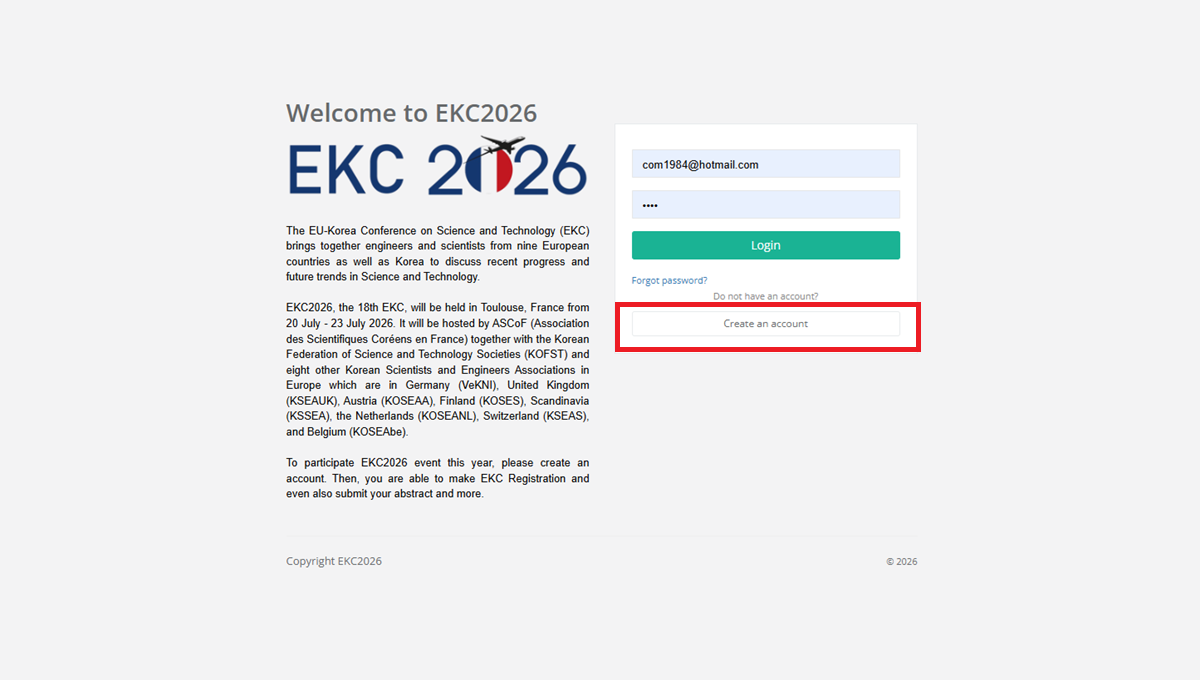
Step 1: Go to EKC2026 registration
- Go to EKC2026 registration website and create an account. The link for EKC2026 registration is provided above.
- If you have already got an account, please make a login with your account. Then, go to Step 3.
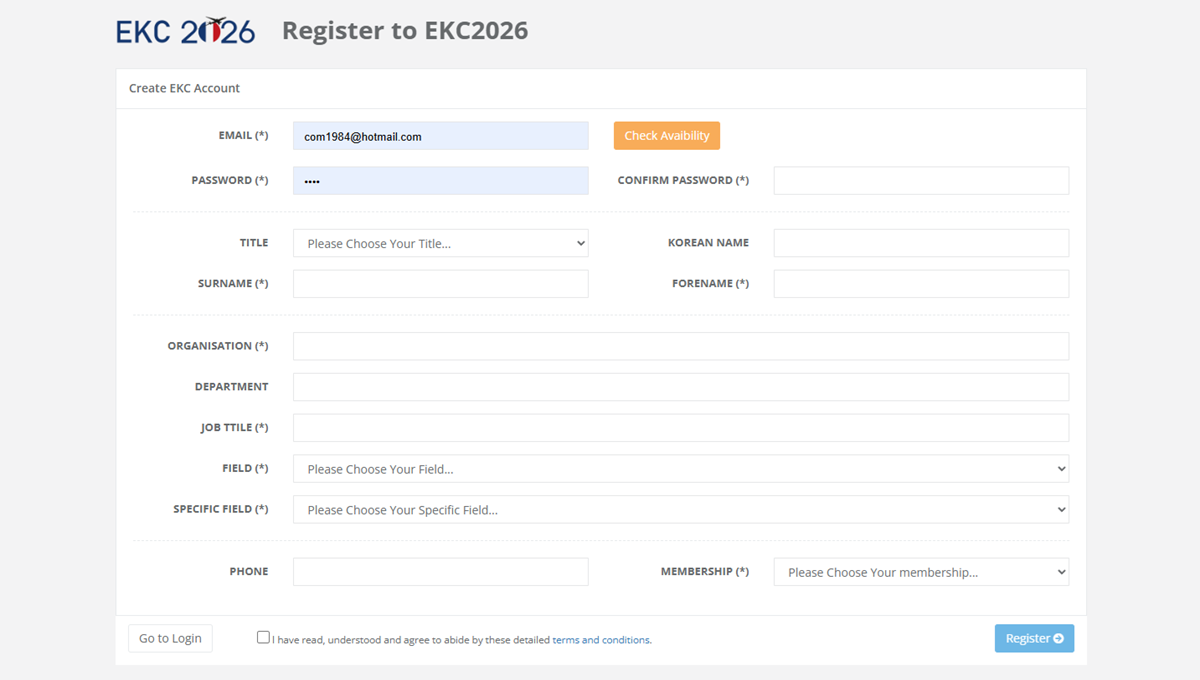
Step 2: Create an account
- Enter your account information to create an account. Most fields are required, but some are optional.
- Once your account is created, you will be logged in automatically.
- Please keep your password in a safe place for future logins.
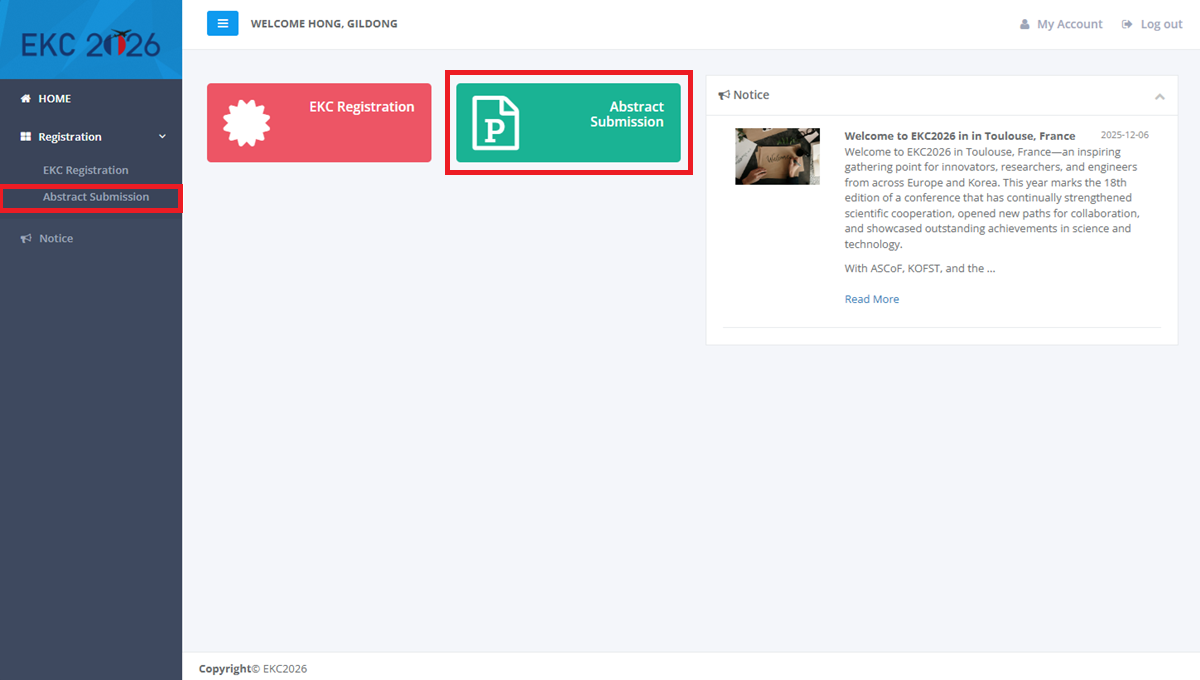
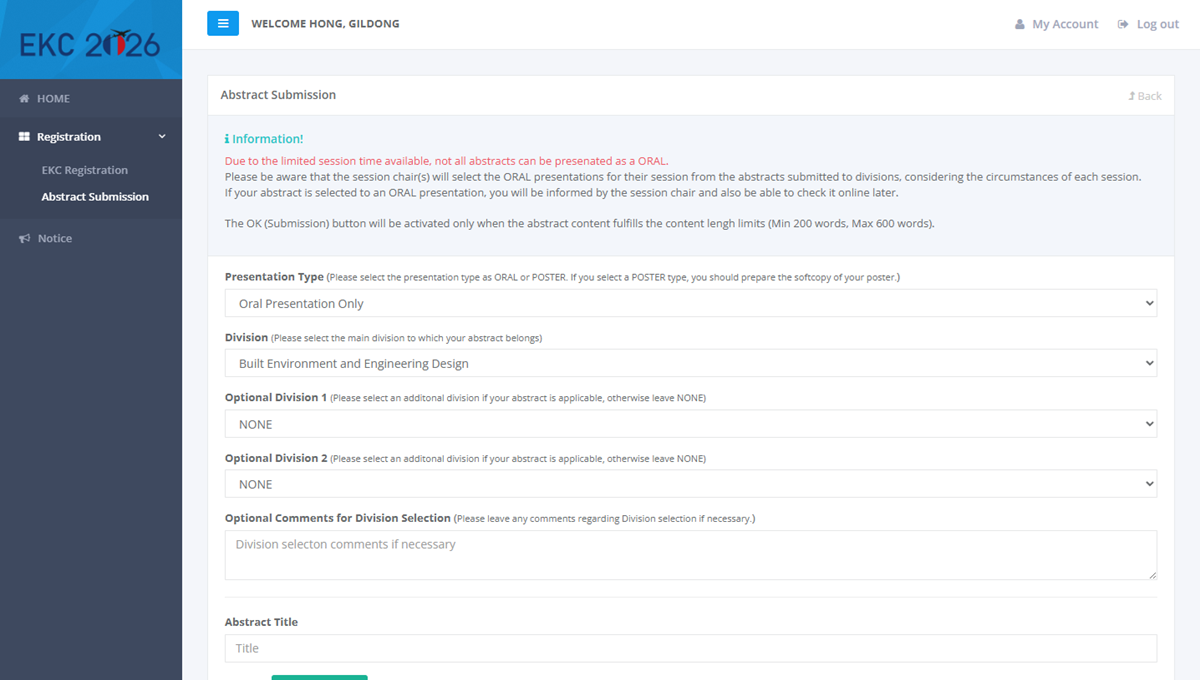
Step 3: Select abstract submission
- Please select the Abstract Submission option from the menu.
- There are two ways to access the submission page, both of which are indicated by red rectangles on the image.
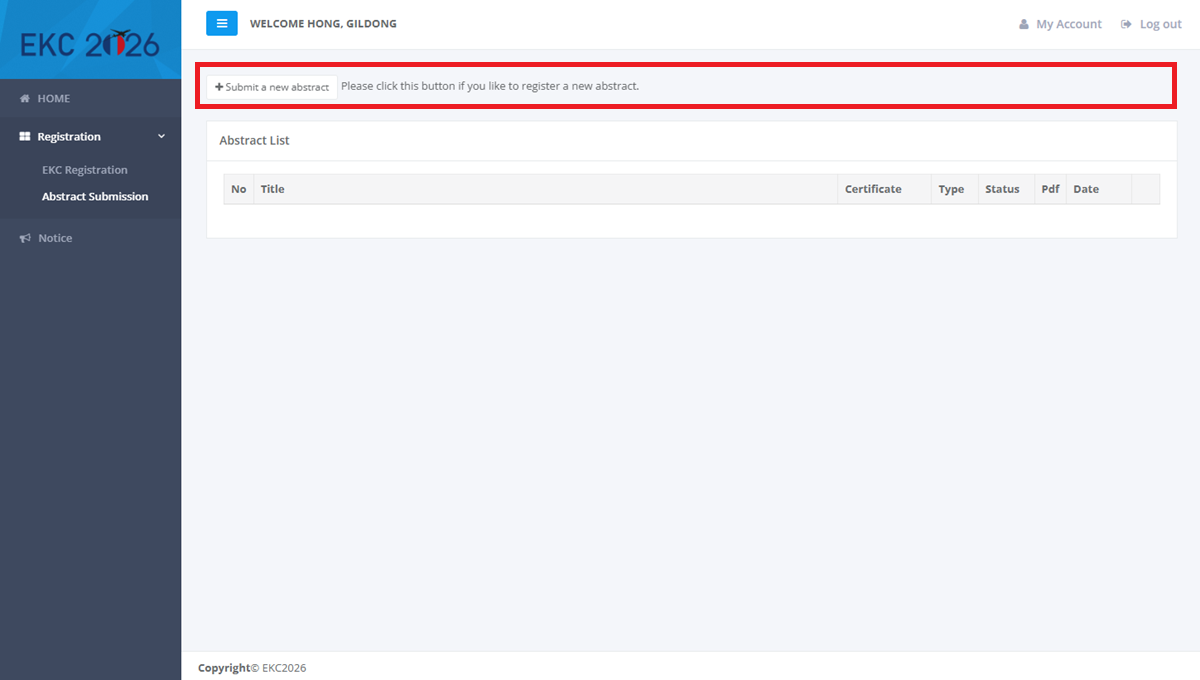

Step 4: Add an abstract
- Click the button to add an abstract. This will open the abstract submission form.
- While most authors submit a single abstract, the system allows for multiple abstract submissions.
- You may update or delete your abstract while the status is 'WAITING'. However, once it has been accepted, no further changes can be made.
Please select your preferred presentation type.
Then, the session leader will review all abstracts and select ORAL presentations depending on the circumstance of each session.

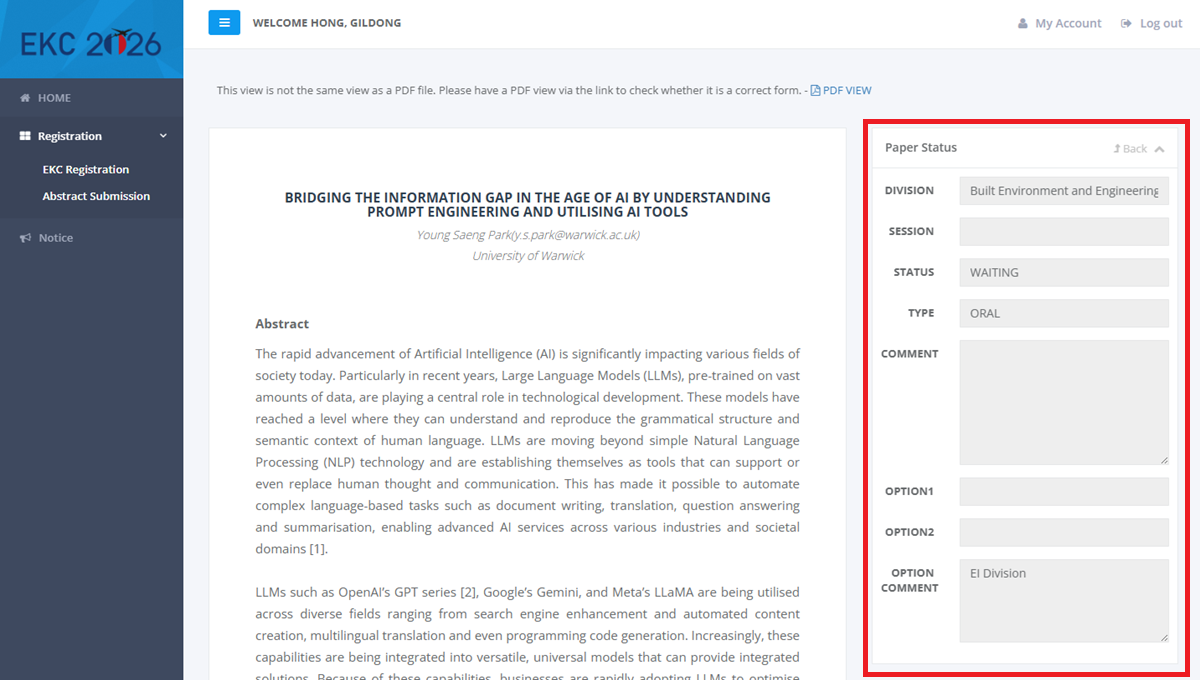
Step 5: Check abstract status
- Monitor your abstract submission status and assigned presentation type.
- Once accepted, the status will change to 'ACCEPTED'.
- If there are comments or reviews from the reviewers, you will be able to see them the next time you log in.
You will receive a notification email from EKC2026; however, these emails sometimes land in spam folders. Please check your spam folder if you do not see an email.
We generally recommend checking your status directly through the registration system.
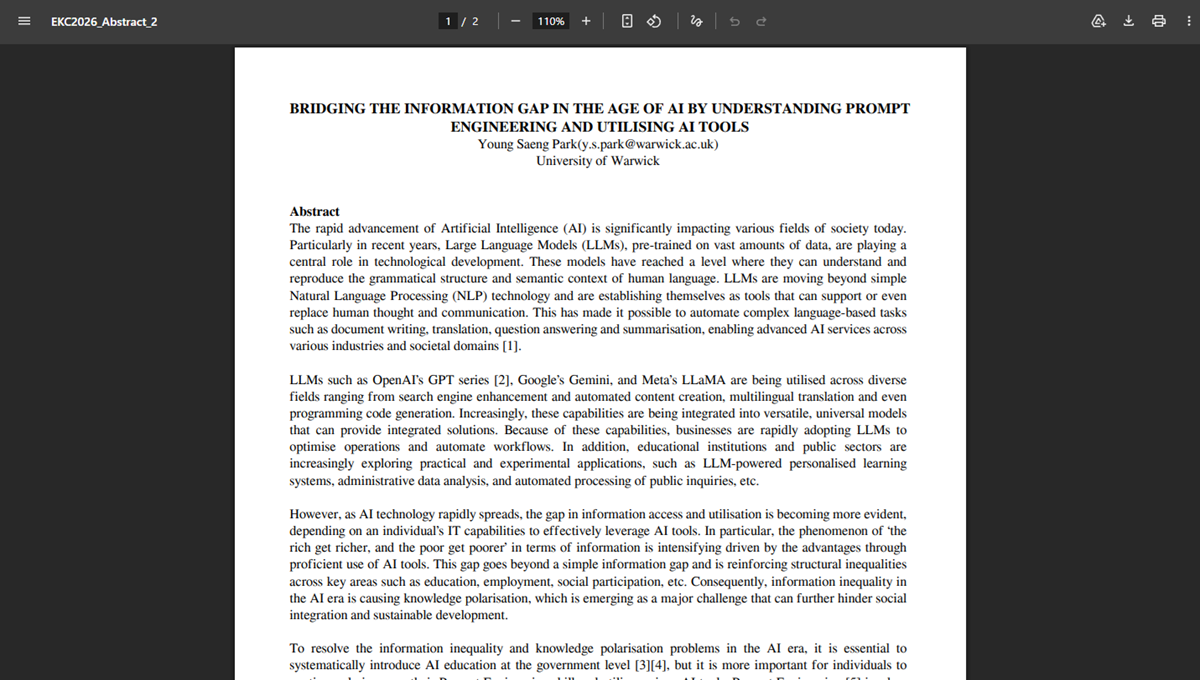
Step 6: Check a PDF file
- Review your abstract in PDF format.
- Please note that the PDF is automatically generated based on your inputs. As a result, the final layout or formatting may differ slightly from your original draft.